
Add a goal
Your coach uses your goal on Home and in your workout evaluations. Finished goals move to Past goals.
- Open Plan, then Goals, and add a goal. You can also tell your coach.
- Say whether it is a general goal, a race, or a personal challenge.
- Choose the sport: running, cycling, swimming, triathlon, or other.
- Say what success means to you. For a race, add the date, the distance, and the climbing.
Where you stand
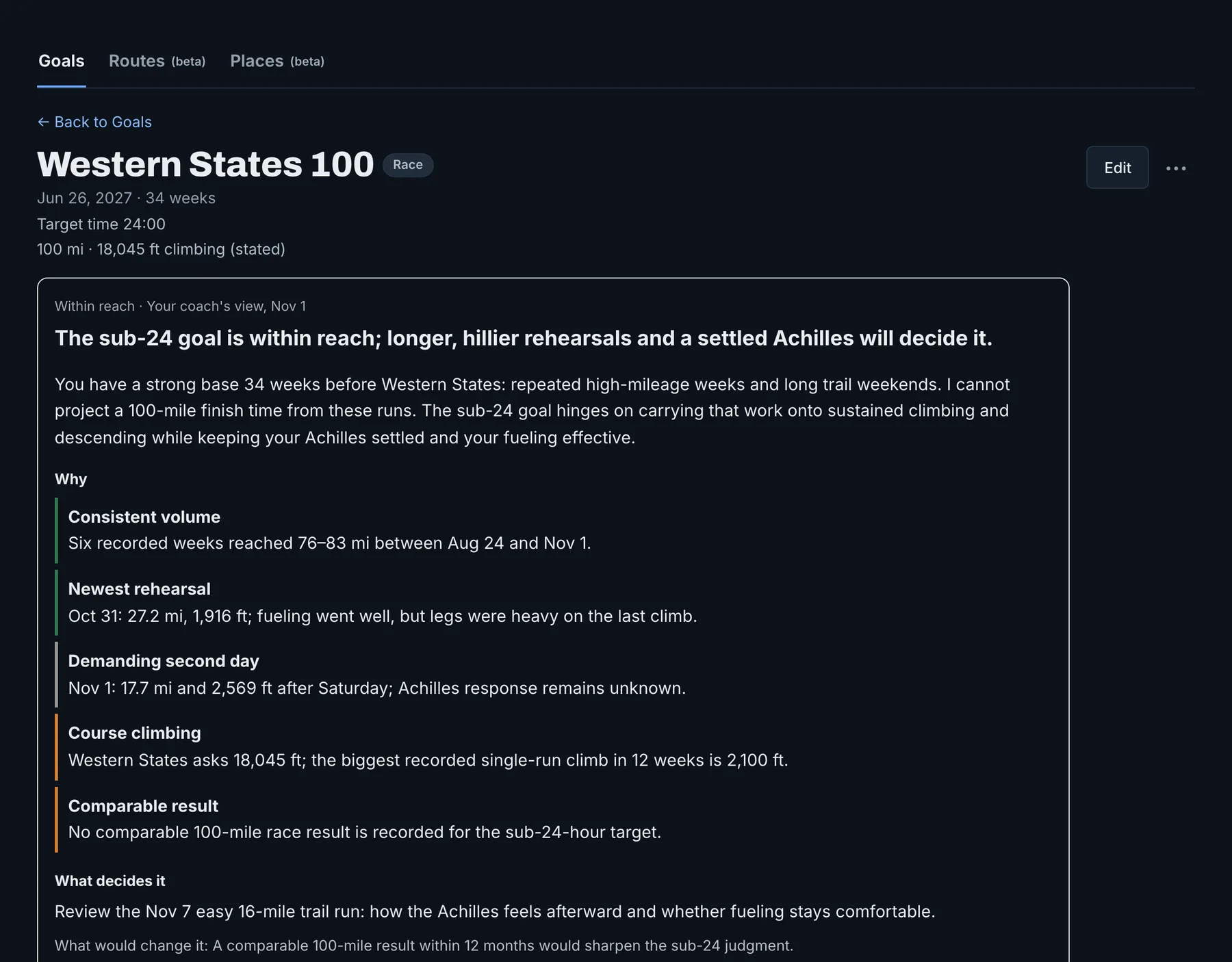
Your coach reviews your training, your goals, and what you have told it, and checks its coaching method. For each goal, it says whether you are on track, what would make the goal possible, whether it is out of reach, or what it needs to know from you. While an injury or a medical reason keeps you from running, the goal shows Paused, and your coach judges it again when you run again.
It names the factors behind its view and the next session that matters most, and it plans across all your goals at once. One run does not change its view. A race, a hard effort, an injury or illness, or a change to your goal can.
You see this view on Home, in chat, in your workout evaluations, and on the goal page. The Goals list shows each goal's verdict and your coach's one-line view, so you can see where every goal stands at a glance.
A running goal with a date can have a training plan. For a goal in another sport, your coach coaches you day by day. You have one plan at a time, on the Training plan tab. The goal the plan builds to shows Training plan, and a goal race inside it shows In your plan: open the goal and tap Open plan. See Training plans.
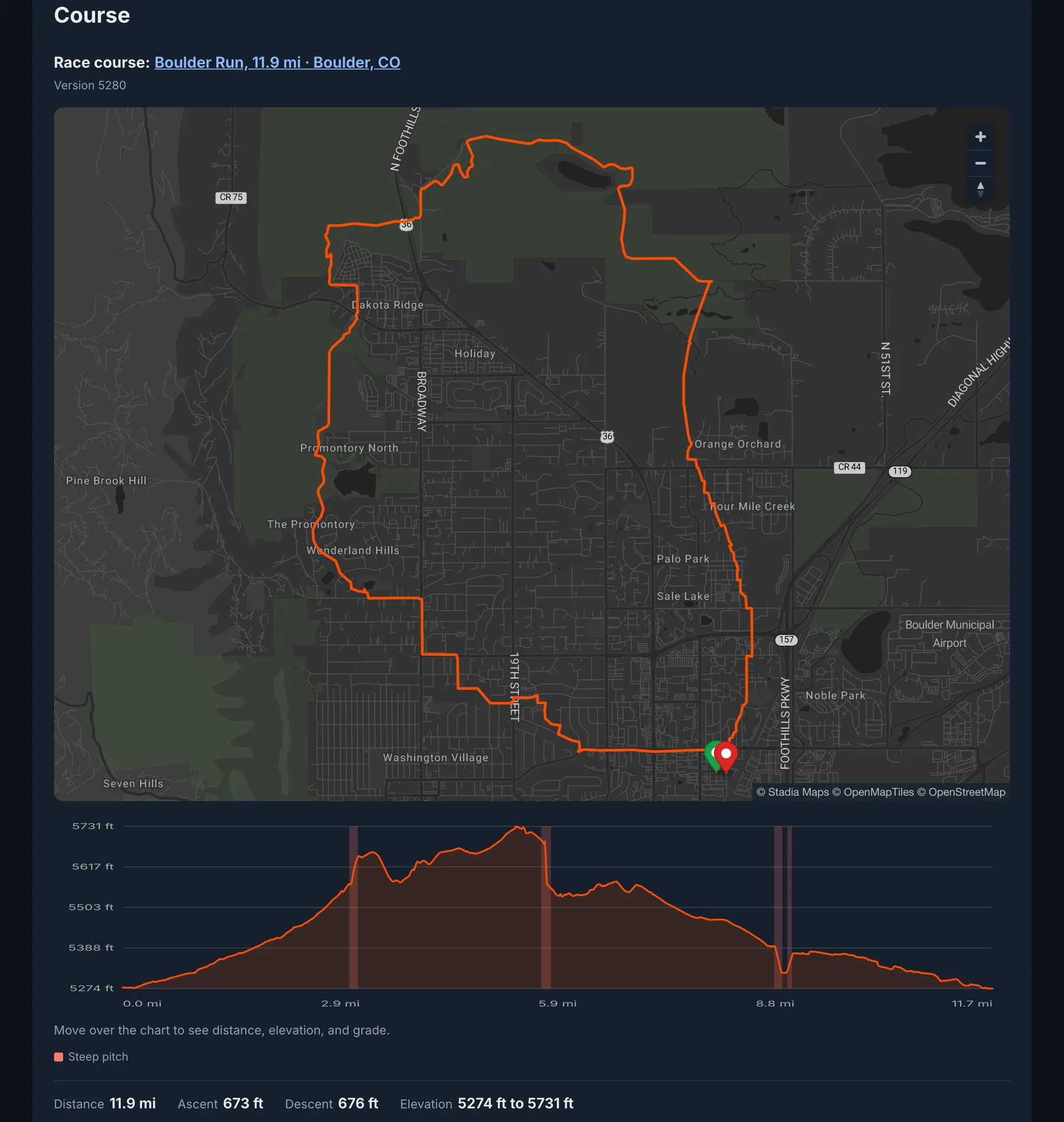
Prepare for a race course
- Add a route to your goal, from your Routes or from a course file.
- Train Ultra shows the climbs, the waypoints, and what the course asks of you.
- Your coach weighs the course in its view of where you stand, and plans the climbing and descending you need.
Who can use it
Goals are included with Pro and with a trial.